How to install Tamagana on your phone

  1. Step 1

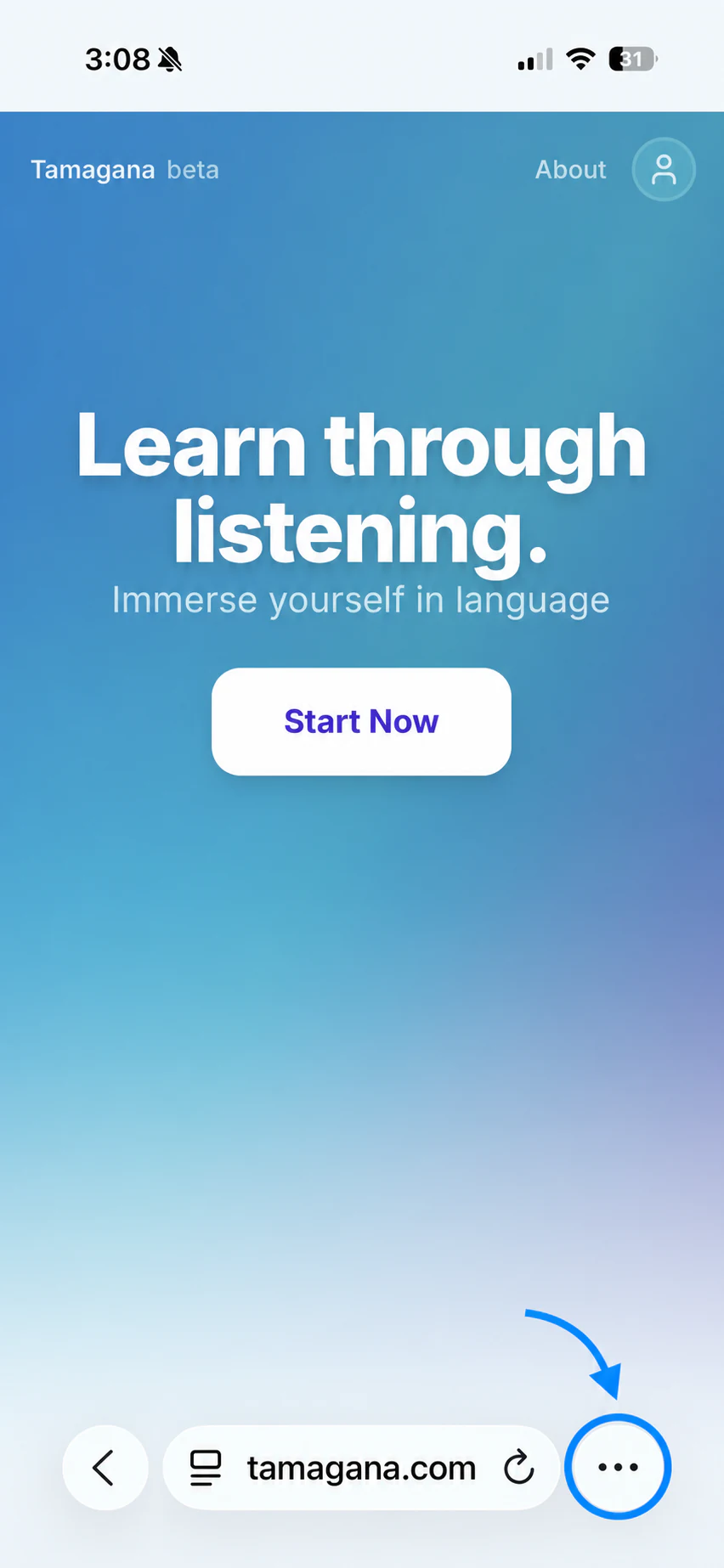
    Tap the menu

    Tamagana open on iPhone with the three-dot menu button highlighted in blue
  2. Step 2

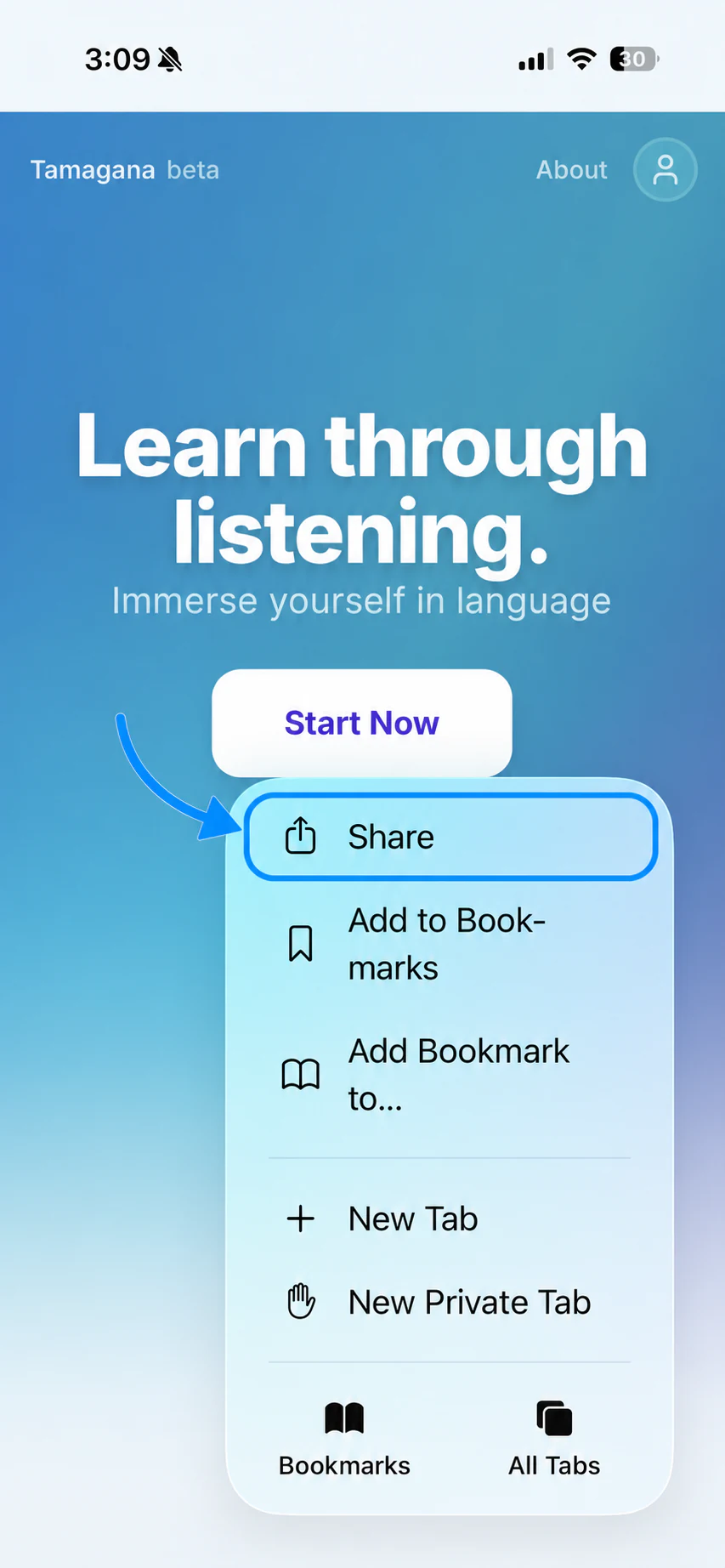
    Tap Share

    The iPhone browser menu with Share highlighted in blue
  3. Step 3

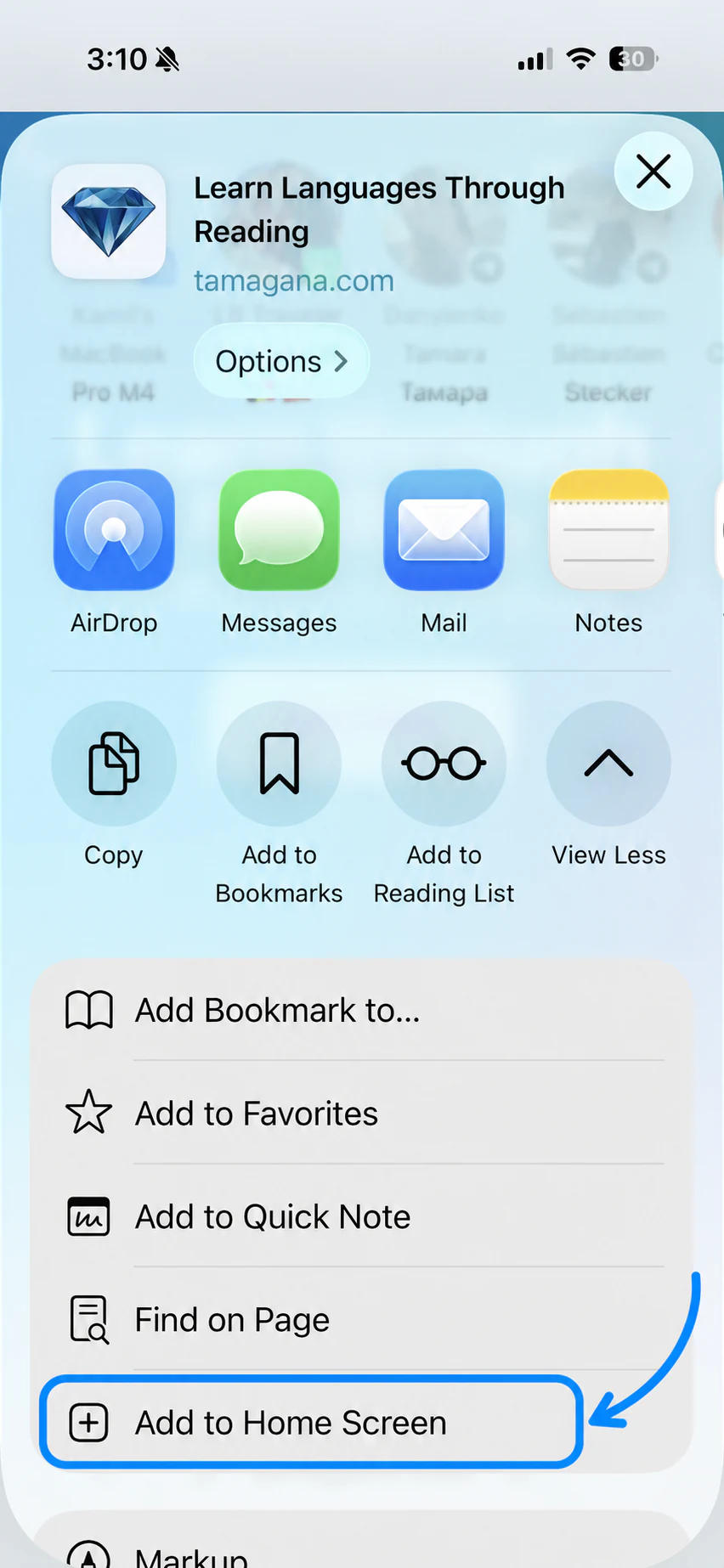
    Tap Add to Home Screen

    The iPhone share sheet with Add to Home Screen highlighted in blue
  4. Step 4

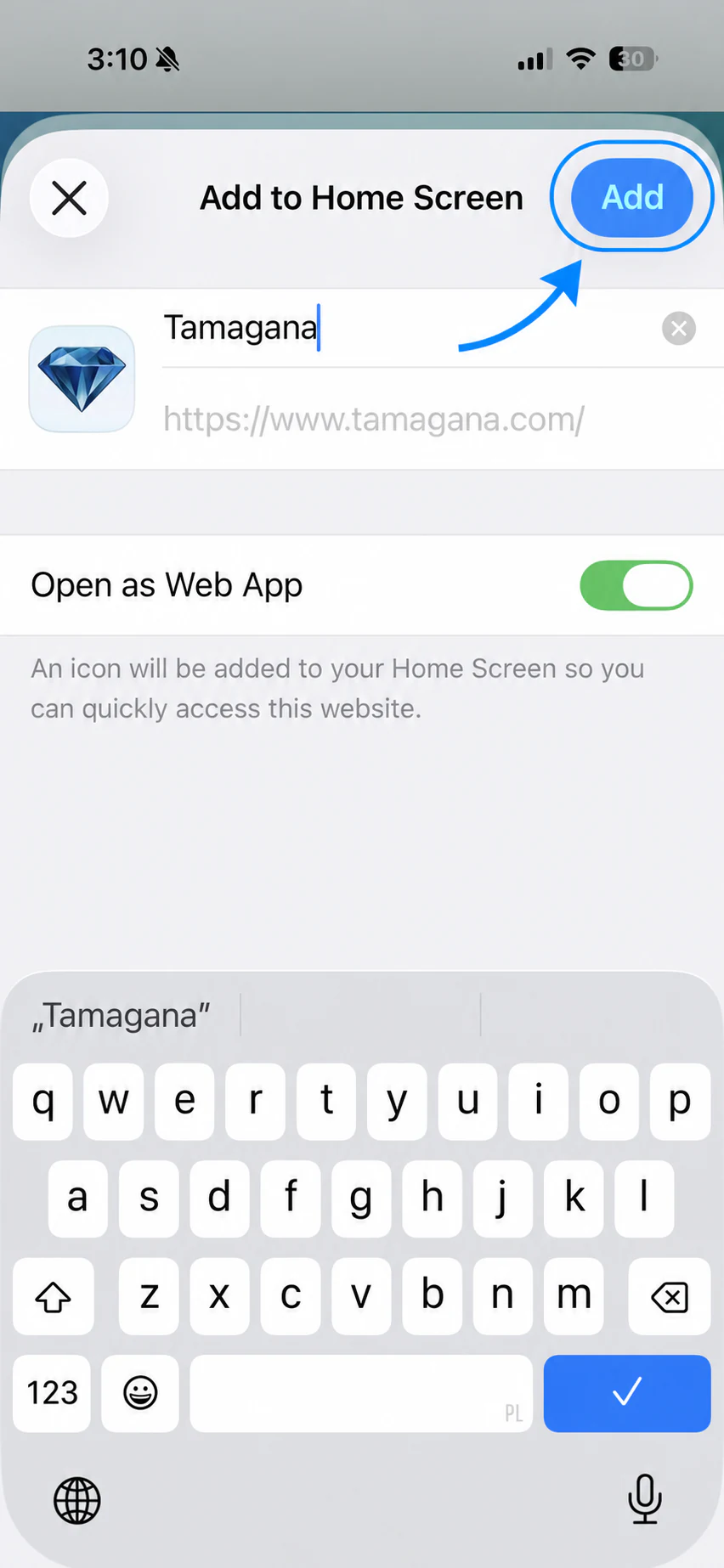
    Tap Add

    The iPhone Add to Home Screen screen with the Add button highlighted in blue
  5. Step 5

    Use Tamagana as an app

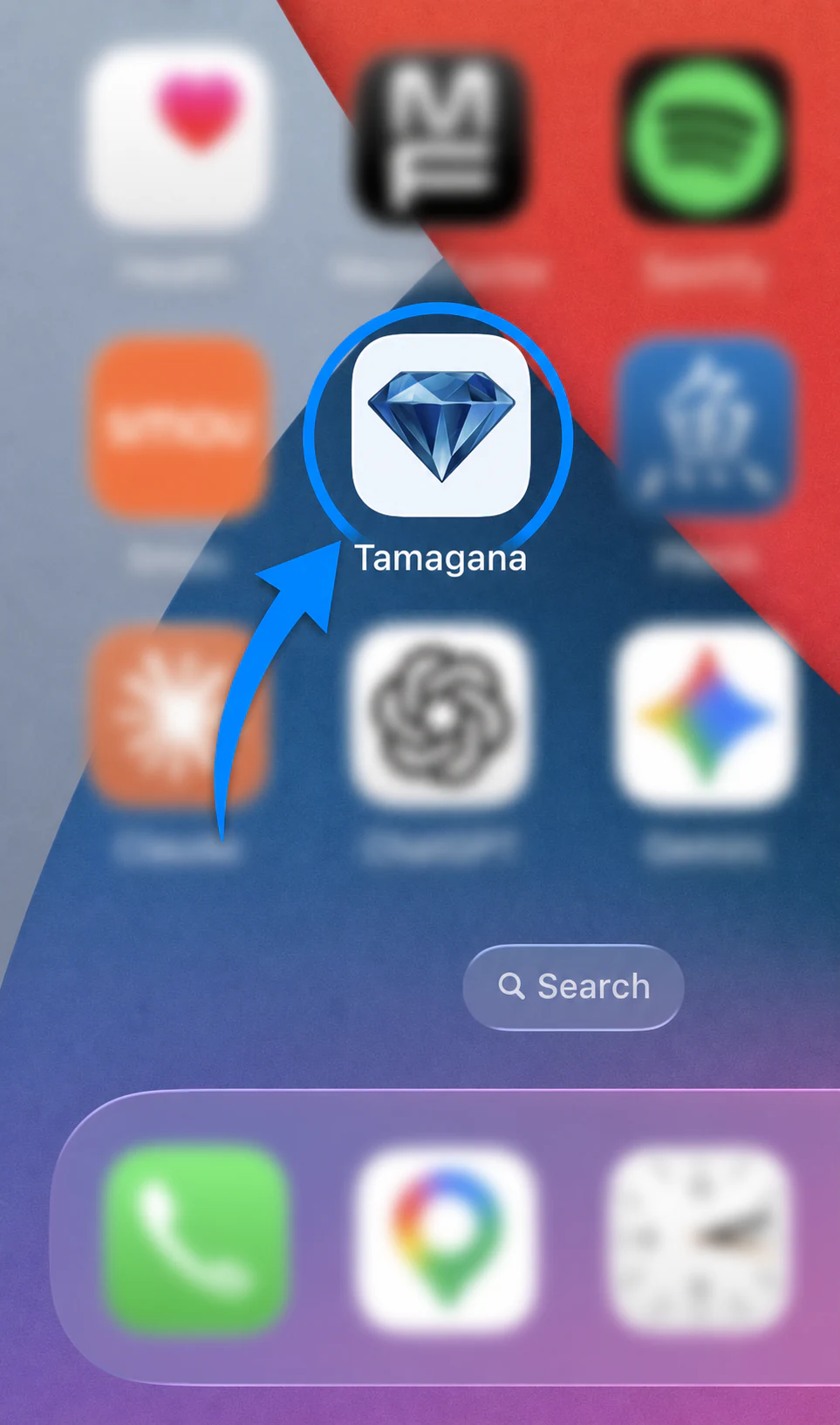
    The Tamagana icon highlighted on an iPhone home screen with other app icons blurred